GitLab - Scan your source code for feature flags
This section describes how to use the ConfigCat CLI in GitLab CI/CD to automatically scan your source code for feature flag and setting usages and upload the found code references to ConfigCat.
Setup
-
Create a new ConfigCat Management API credential and store its values in GitLab's CI/CD Variables with the following names:
CONFIGCAT_API_USER,CONFIGCAT_API_PASS.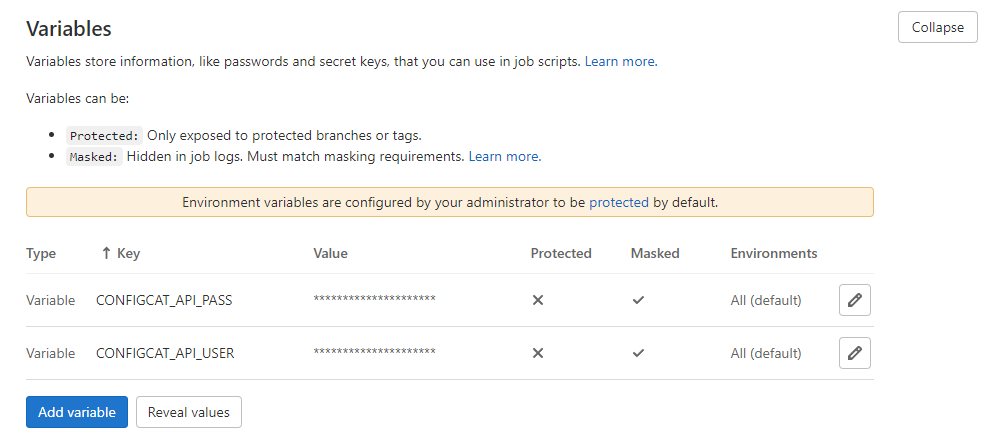
-
Get your selected Config's ID.
-
Create a new or open your existing
.gitlab-ci.ymlfile, and put the following job into it. Don't forget to replace thePASTE-YOUR-CONFIG-ID-HEREvalue with your actual Config ID.configcat-scan-repository:stage: deploy # the job will run in the deploy phase, but you can choose from any other phases you haveimage:name: configcat/cli:2.4.2entrypoint: ['']script:- configcat scan $CI_PROJECT_DIR--config-id=PASTE-YOUR-CONFIG-ID-HERE--repo=${CI_PROJECT_NAME}--branch=${CI_COMMIT_REF_NAME}--file-url-template=https://gitlab.com/${CI_PROJECT_PATH}/blob/{commitHash}/{filePath}#L{lineNumber}--commit-url-template=https://gitlab.com/${CI_PROJECT_PATH}/commit/{commitHash}--runner="ConfigCat GitLab Job"--upload--non-interactive -
Commit & push your changes.
Scan reports are uploaded for each branch of your repository that triggers the job.